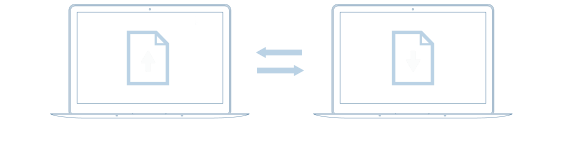
The SEND module is engineered for the direct transfer of large files between people. By eliminating the use of third-party servers, the platform ensures that files are transferred at high speeds while maintaining security and privacy.
The user interface is designed for simplicity and ease of use, allowing for large file transfers to be initiated with minimal steps. Advanced features such as end-to-end encryption, configurable download limits, and comprehensive tracking options are built into the platform, providing users with a customizable and secure file transfer experience.
Whether the use-case involves sending high-resolution media files, large datasets, or confidential documents, the SEND module is equipped to handle various types of large file transfers efficiently and securely.
The RECEIVE module allows you to easily set up a ‘Receive Job’ and tailor it to your specific requirements. Whether through a web browser or our specialized portable app, the choice is yours.
Gain complete oversight with our detailed Dashboard and reporting features. You’ll have immediate access to essential information such as transfer dates and sender IP addresses.
Our platform utilizes end-to-end encryption, safeguarding your files from the point of upload to download. This ensures that your data remains secure and confidential at all times.
The SYNC module offers a self-hosted, secure solution for all your file synchronization and replication needs. Our platform is designed to give you complete control over your data, eliminating third-party risks.
Our intelligent algorithms automate the entire sync process, from real-time monitoring to queued transfers. Cross-platform compatibility ensures seamless synchronization across devices running on different operating systems.
With features like military-grade encryption and industry-specific compliance, Binfer sets a new standard in data security and integrity. Your data is not just synchronized; it’s protected at the highest level.
The TRANSFER module allows for direct, device-to-device file transfers. Features like auto-resume and real-time monitoring make the process seamless and reliable.
It ensures that your data never leaves your control. Advanced encryption and two-factor authentication provide an extra layer of security.
It works effortlessly across multiple operating systems. Whether you’re using Windows, macOS, or Linux, you can expect the same high level of performance and security.